Can I edit the AI-generated pixel art?
Yes. The AI result is intended as a starter sprite that you can edit manually.
 pixelart.to
AI pixel art generator
Pixelart.to uses AI as a drafting helper, not a replacement for manual pixel work. Generate a small starter sprite, clean it up by hand, adjust the palette, and export a transparent PNG.
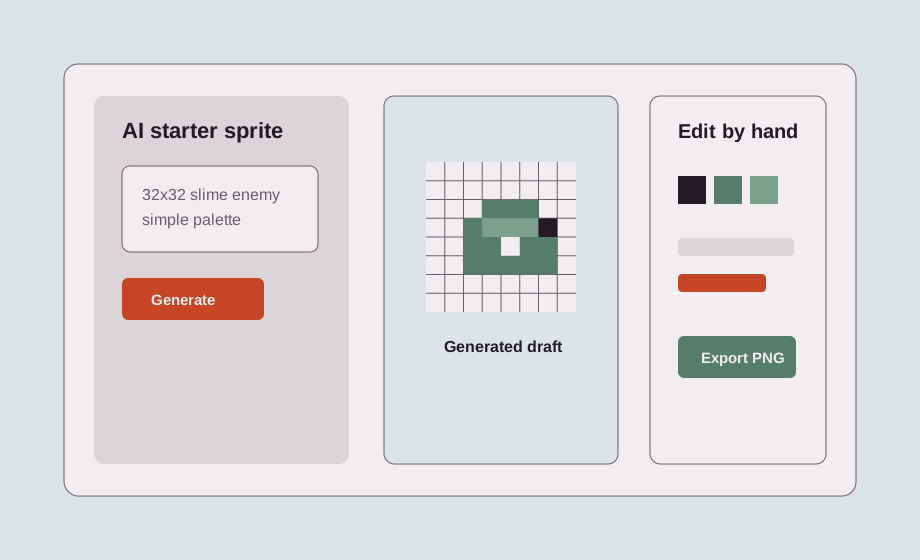
Describe a small asset, choose a canvas size, and generate a draft. The result is meant to give you a starting point for shape, color, and composition.
Small sizes keep the asset editable. Use 16x16 for tiny icons, 32x32 for small characters and items, 64x64 for larger sprites, and 128x128 for bigger drafts or scenes.
Manual cleanup is the key workflow. Fix silhouettes, remove extra pixels, adjust outlines, choose better colors, and make the sprite fit your game style.
Transparent backgrounds matter for game assets. Pixelart.to is designed around background-removed sprites and PNG export so assets can be placed over any scene.
AI starter sprites are useful for placeholders, item icons, enemies, NPC drafts, and UI symbols when speed matters but you still want control over the final pixels.
Yes. The AI result is intended as a starter sprite that you can edit manually.
Pixelart.to supports small pixel-art sizes such as 16x16, 32x32, 64x64, and 128x128.
Yes. The workflow supports background-removed assets and transparent PNG export where possible.
The best use is fast drafting, placeholders, inspiration, and manually cleaned-up assets.
Start with the editor, generate only when it helps, edit the pixels by hand, and export a transparent PNG.
Generate a starter sprite